

Unlock a New Level of Photo Editing: The Power of Side-by-Side Comparison
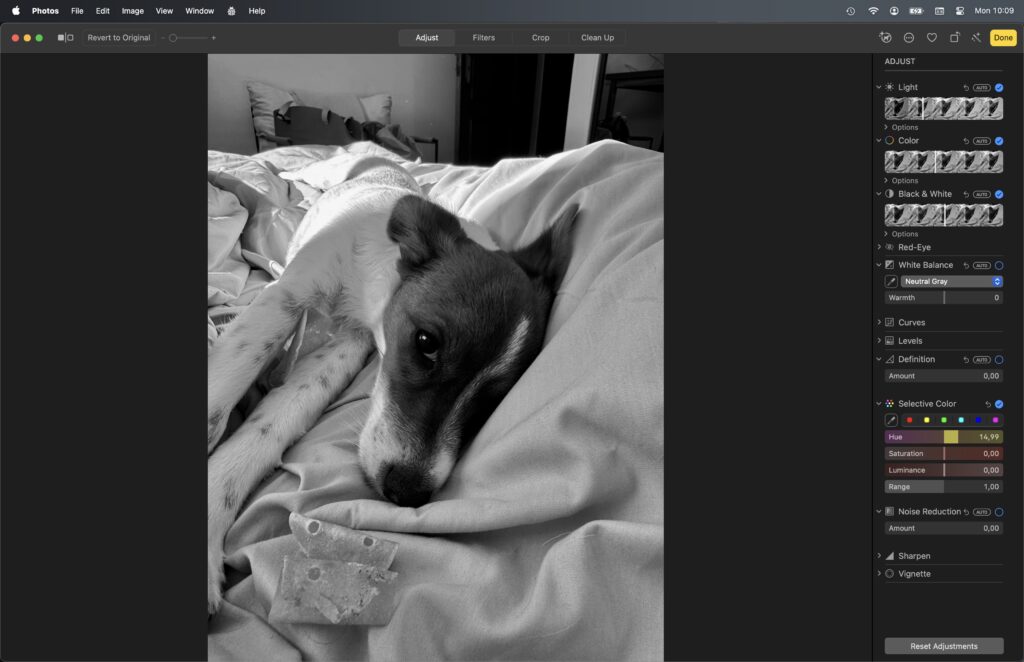
If you’ve ever dipped your toes into digital photo editing on macOS, you’re probably familiar with Apple Photos’ built-in editor. It’s a solid, consumer-friendly suite: sliders for exposure and color, a respectable set of filters, and the ability to revert changes. But if you’re someone who wants to truly see the effects your edits have—especially before and after applying adjustments or creative filters—you’ll quickly run into a limitation: Apple Photos only lets you preview one state of your image at a time.
Why Side-by-Side Changes Everything
That’s where ProShelf’s QuickLookImageView rewrites the playbook.
Traditional photo editors, including Apple Photos, ask you to edit based on memory or by toggling between “before” and “after” views. You get a quick flash, but your eye can only guess at the subtler differences—did you actually improve the shot, or just give it a new mood?
ProShelf’s photo editing panel gives you both worlds at the same time. Here’s how:
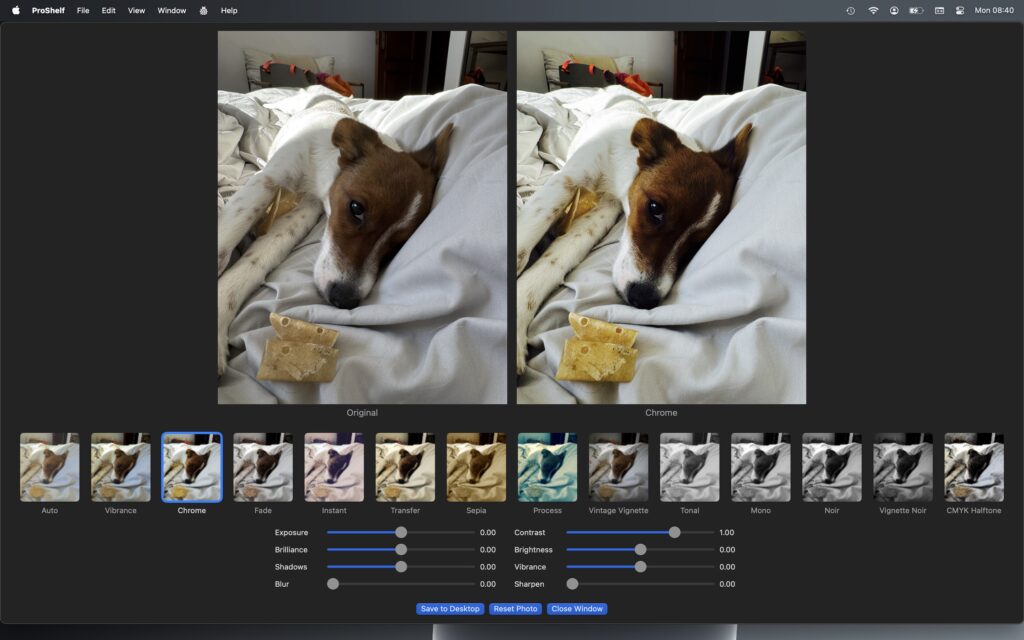
- Original vs. Filtered, Always Visible: The UI lays out your untouched original and your current edited preview, side by side. Adjust exposure, contrast, blur, vibrance, apply any creative filter from Chrome to Vignette Noir—and instantly see the change, no toggling required.
- Instant Filter Previews: Unlike Apple Photos’ tiny icon previews, each filter/adjustment shows you a miniaturized version of your actual photo, in context, so your choice is based on your image—not a canned sample.
- Realtime Adjustment Feedback: Sliders for exposure, contrast, brilliance, shadow, blur, vibrance, sharpen, and more, update the edited image instantly so you know exactly what you’re getting.
- Customizable Comparison: If you want, you can rotate, mirror, or zoom your original, ensuring the before/after view is always apples-to-apples—even for portrait/landscape shifts.
Filters for Days—And Real-World Results
ProShelf isn’t stingy with its effects. It includes both CoreImage built-in filters (Chrome, Process, Noir, Sepia, and more), plus unique blends like “Vintage Vignette” and “Auto Enhance,” letting you get as subtle or wild as you want—all shown, immediately, right next to your untouched original.
And thanks to macOS-native implementation, image quality stays silky-smooth. Saving your finished masterpiece to Desktop is a single click.
The Bottom Line: Visual Confidence
When you can see your changes and the original together, you edit with confidence. No more “is this really better?” paralysis. For content creators, personal album curation, or just digital nostalgia, this UX means you only save what you love.
Do you want to actually know your edits made the photo better? Ditch the single-image toggle. Try true side-by-side editing—your eyes (and your photos) deserve it.
ProShelf Product Page
ProShelf App Store Page